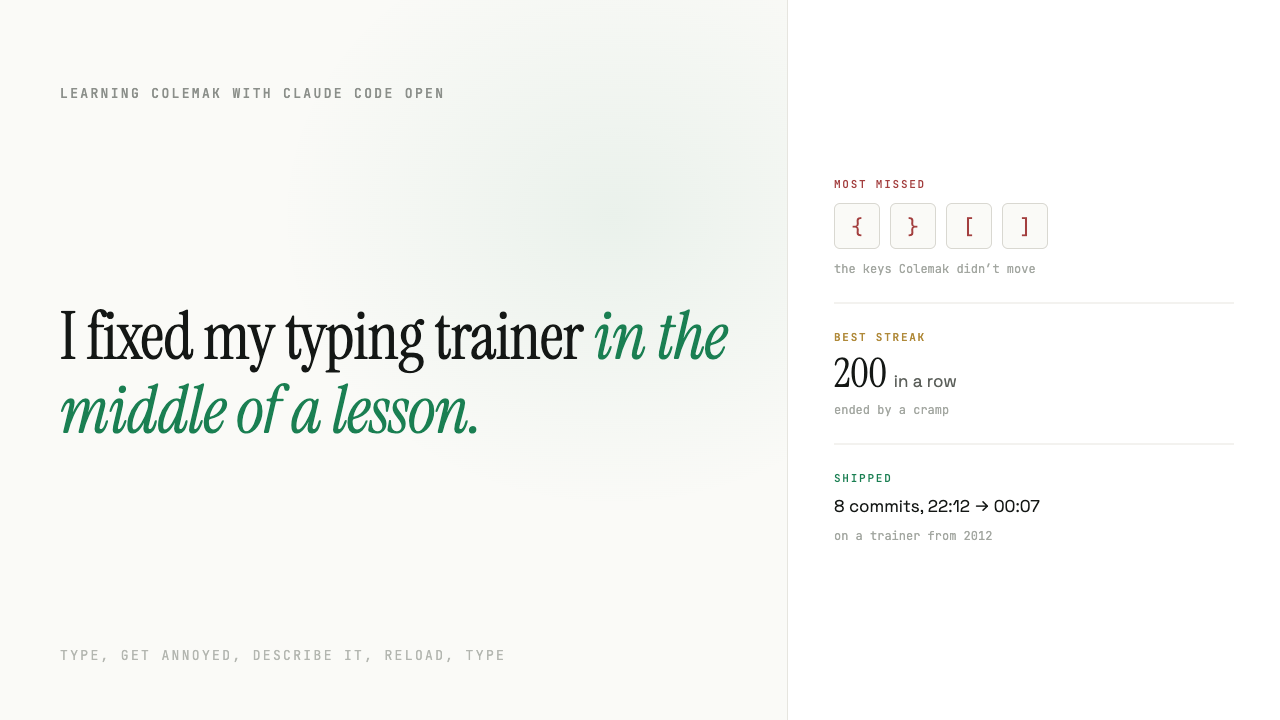
On Sunday morning I was practising a new keyboard layout and lost track of where a key was. Again.
So I typed this into Claude Code, typos and all:
"I like this exercise but I would like to see a small keyboard at the bottom right when I want, it should be colemak keyboard as a reference when I forget"
By midnight the trainer had a reference keyboard, a list of my worst keys, a mode that drills them, and a streak counter. That came to eight commits on my fork of a project first written in 2012. This morning I opened a pull request to the original authors.
I never stopped practising for long.
Relearning to type
I'm switching from QWERTY to Colemak because it feels more natural. Your fingers move less and roll from one key to the next, so typing flows.
I don't know my exact speed. I do know it's gone up about 20%.
Colemak keeps a few QWERTY keys where they were and moves the rest. Your fingers know exactly where every letter is, and they're wrong about most of them.
I tried a lot of online typing trainers before I settled on one. I ended up with the simplest of them: Keyzen Colemak, a single page that drills one new key at a time and unlocks the next one once you stop missing.
It was written in 2012. Rye Terrell built the original Keyzen, and Josh Kaufman, the author of The First 20 Hours, adapted it for Colemak a week later, with a key order designed for learning the layout. Their trainer is still the heart of it, and everything I added sits on top of their work. Thank you, both.
It's good. I just wanted a bit more from it. It's from another era of the web, and it doesn't tell you much.
Until Sunday it was something I used, never something I'd change. Someone else's code, on someone else's site.
Not because I couldn't. I've been a developer for twenty years. But making it work the way I wanted would have cost me evenings, and a feature had to be worth more than the time I'd spend building it. A reference keyboard for a hobby never was. So I put up with the tool as it was, like everyone does.
That math has changed. Now I have a developer agent next to me. I tell it what I want, it builds it, and it costs me a few dollars. I get exactly what I want, the way I want it, and I stay in the lesson.
My design review was one letter
Claude didn't build me one keyboard. It built four.
It put them on one page, each in a copy of the trainer's corner, all four typing the same practice word, so I could watch how each one marked the next key. All four shaded the home row darker and put a small bump on T and N, like the nubs under your index fingers on a real keyboard.
My entire design review was one message: "b".
That's the keyboard in the trainer now. Esc shows it, Esc hides it. The next key fills orange. For a capital or a symbol, both Shift keys light up too.
The bumps are pure decoration. I love them.
It earned its place within a day. Mid-word, I had a complete blackout on where P lives. Esc, glance, Esc, keep typing.
The evening loop
The keyboard was the morning. The real session started at 22:12, and it ran on one loop: type, get annoyed, describe it, reload, type.
The first annoyance was that the trainer has no memory of my mistakes. So:
"We can add some more stats, for example what keys I type wrong the most list"
Now there's a stats link in the corner. It shows my ten worst keys: how often I missed each one, my accuracy on it, and an arrow with a letter.
I asked what the arrow meant. I had asked for this feature three minutes earlier.
"
→ xmeans that when you missed this key, the key you pressed instead was usuallyx."
That arrow turned out to be the most useful thing on the screen. It doesn't just say which key I miss. It says which finger is lying to me.
My worst keys weren't Colemak letters at all. They were {, }, [ and ].
Colemak doesn't move them. They sit exactly where they've been for the twenty years I've been typing code. I was bad at the keys I use every working day, and I had no idea until something counted.
The one question that mattered
Knowing your weak keys is nice. Practising them is better.
"do we have algorithm that if I am terrible in certain keys, it brings them more?"
Partly, Claude said. The trainer already drills a key you just missed, until you type it right ten times in a row. After that, it forgets. It has no idea which keys you're bad at over time.
Before saying yes, I asked the only question I really cared about:
"does it mess up the current key combinations? feels like current key combinations has a meaning"
The answer was more precise than my question. The practice words have no meaning: each letter is drawn at random. The order the keys unlock in does. Home row first, most common letters first, punctuation and capitals last. That order is the method, and the change would leave it alone.
So:
"go ahead with most mistaked letters have a bit heavier weight, make that an option though, want to keep original functionality"
Then Claude tested the change before telling me it worked. It generated 4,000 practice words with a made-up history of missing s 30 times out of 70, once with the option off and once with it on:
| off | on | |
|---|---|---|
s, the weak key | 5.1% | 14.3% |
n, never missed | 5.3% | 5.4% |
a, the newest key | 58.1% | 46.6% |
Then it told me the cost without being asked. With the option on, the newest key gets about 20% fewer reps, so unlocking keys takes a little longer.
That's the trade-off I'd want to know about, and I wouldn't have thought to ask. It's why focus weak keys sits in the stats panel and is off by default. Turn it on and the unlock order stays the same. You just see your mistakes more often.
The streak
"and we need a counter, how many letters without a mistake since last time, at the bottom mid, a bit muted maybe"
Now there's a grey number at the bottom of the screen: keys typed correctly since my last mistake, with my best run next to it. Miss a key and it drops to zero with a short orange flash.
I can't explain why it works, but it does. A typing exercise turned into a game I'm losing to myself, very slowly.
My best run is 200 keys. It didn't end with a wrong key. It ended with a cramp.
At 00:06 I said "commit and push". Three minutes later I asked about something else: my Mac felt slow, and typing in WhatsApp was lagging.
Two hours of typing practice, and the only thing that slowed my typing down was the computer. It had been running for 40 days without a restart.
What it took
Eight commits, from 22:12 to 00:07:
- the reference keyboard
- a redirect, because GitHub Pages opened the README instead of the trainer
- the most-missed keys panel
- fixed links in the README, including a Colemak download link that returned 403
- quieter
kbandstatslinks, because the outlined boxes kept pulling my eyes into the corners - the streak counter
- weak-key weighting
- a README section on what changed
I didn't write a line of the JavaScript. I made every decision: what to track, what to show, which design, what had to stay off by default, when the corners got too loud.
The decision that mattered most was a question, not a feature: does this break the order? Claude could answer it in seconds. It still had to be asked. I've said before that AI made building cheap and made knowing what to build the entire job. This was the same thing, at the size of a hobby.
And I never had to choose between improving the tool and using it. I was learning Colemak the whole time, on a trainer that got a bit better every twenty minutes.
Try it
It's live at sylow.github.io/keyzen-colemak. Your stats are saved in your browser, and there's nothing to sign up for. The changes are also in a pull request to the original repository, so they might land there too.
If you're learning Colemak, turn on focus weak keys and watch your streak.
Mine is 200. Beat it, but stretch first.
If you have a tool that annoys you every day, this is what working with me feels like: you say what bugs you, I decide what it should do, and you watch it change while you keep working.